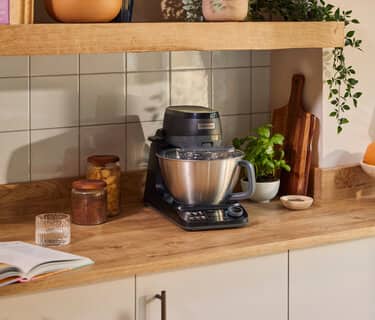
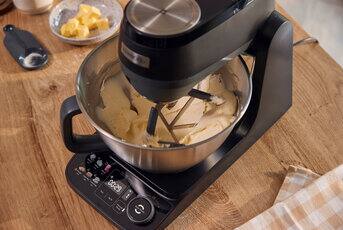
Ready to get baking and making? Use our collection of quick how-to videos for a step-by-step guide to the controls, and open up your Quick Start Guide for a closer look at the basics.
First Steps
Whether it’s sweet treats or savoury meals, prep real food effortlessly
Loading...
Loading...
Loading...
Loading...
Loading...
Loading...
Loading...
Loading...
Loading...
Loading...
Hints and tips
Find out how to get the very best out of your stand mixer
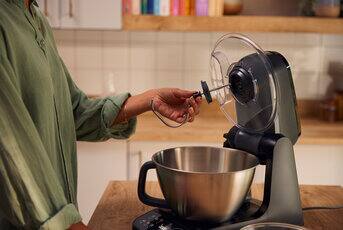
Dough guard
Use the dough guard to keep your mixer tidy while kneading.
Tool height
Check and adjust the tool height for smooth, consistent mixing.
Easy storage
Keep your mixing tools together on the product so they are always within reach.
Mess-free countertops
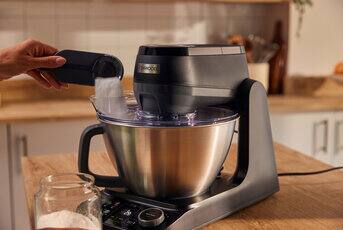
Keep all the mix in the bowl with the splashguard, which also features a handy built- in measuring spoon.
Get to know your Kenwood Smart-Touch
FAQs
Chef attachments are designed to work exclusively with the Chef range products so aren't compatible, however there are a number of attachments specifically designed to help you do even more with your Kenwood Smart-Touch. These are labelled as suitable for KHC Series mixers and include a food processor, blender, food mincer and more.
If you already own attachments from the Prospero mixer range, you will be still be able to use many of these with your Kenwood Smart-Touch. The exception is the food processor, which due to design improvements, has a new model for this product.
Smart-Touch attachments are quick and easy to assemble. Because the Smart-Touch shares the same attachment system as our Multi Tasker model, our How-To videos feature the Multi Tasker in action. But, rest assured, the assembly and usage steps are the same. You can watch the videos on YouTube [LINK] or by scanning the QR code in your Quick Start Guide.
Occasionally, you may see an error code on your mixer. If this happens we would recommend switching the unit off and unplugging it and then switching it back on. If the error code continues to appear please contact your local service centre for support.
Always ensure that the power dial is returned to the 0 position when an outlet cover has be removed, or the head has been lifted / lowered.
Returning the dial to 0 will ensure Kenwood Smart-Touch then runs as normal when the cover is replaced / the head is in position.
Ensure your product is plugged in and the socket is powered.
Check the the High Speed Outlet cover is securely in place and the control dial turned to 0. Then select your desired speed.
Check the product head is securely down if mixing in the bowl, or up if using a slow speed attachment.
Check that any attachment being used is securely fitted.
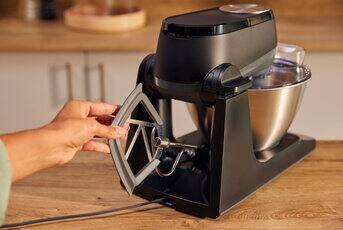
When unpacking your Smart-Touch, you’ll find two protective guards (they may arrive loose or already attached to the machine). Both are designed to keep the tool socket clean, especially during larger batches:
Soft Rubber Shield: Use with the dough tool.
Hard Plastic Guard: Use with the whisk and creaming beater.
Simply slide the matching guard onto the tool hub before attaching your tool.
Always remove all guards before attaching slow-speed accessories, such as the food mincer.
For more details on the bowl tools, check out the how-to video [LINK].